
Standalone or automated
Automated review requests for pet-service businesses
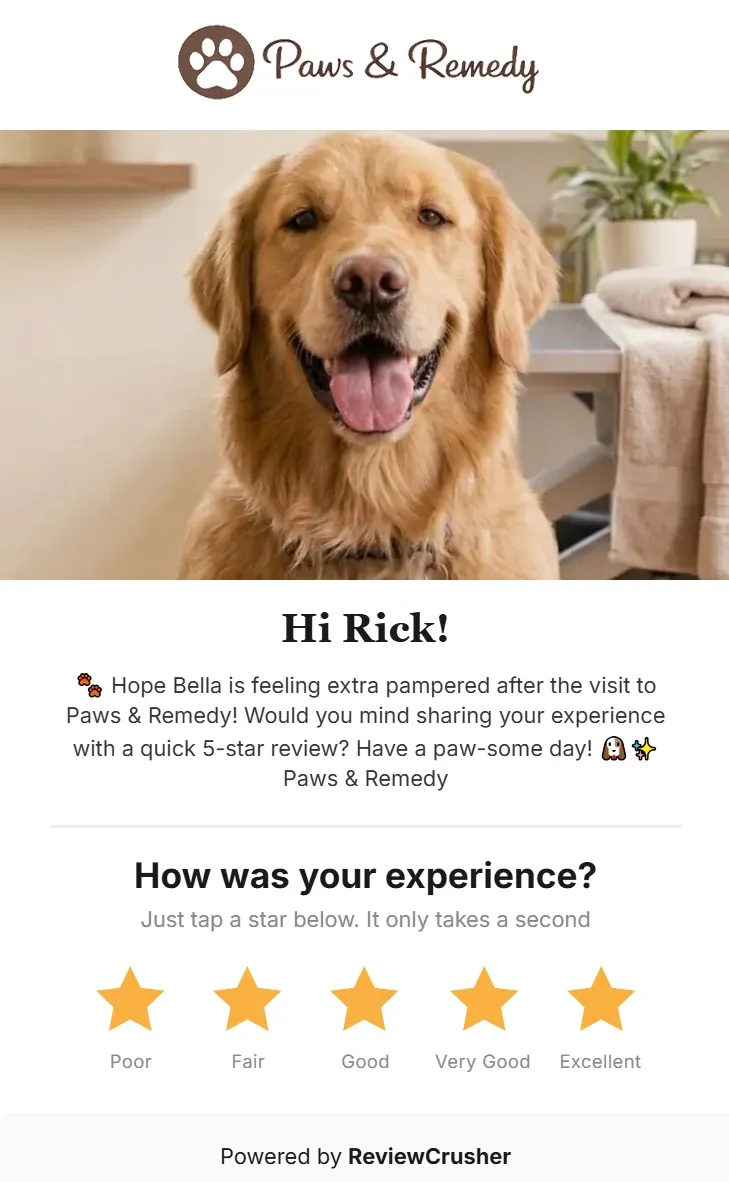
ReviewCrusher sends review requests automatically when a pet-service visit is done: after an appointment is completed, a customer checks out, or an invoice is paid in the software you already use. Each request goes out by text or email with the customer's name, the pet's name and a photo or your branded image.
No integration? Send requests manually from your phone, or upload a daily CSV. Either way, your team stops relying on remembering to ask.
Every customer can still leave a public review.
Why asking by hand doesn't scale
Most businesses ask for reviews when the front desk is quiet, or send everyone the same Google link. On a busy day, nobody remembers. Happy customers go home without being asked, and the requests that do go out are easy to ignore.
How automated review requests work
Connect your scheduling, payment or pet-business software once. When a visit is done, the details sync and ReviewCrusher sends a personal request by text or email, with gentle follow-ups after.
- Triggers: a completed appointment, a checkout, or a paid invoice
- Delivery: text message or email, from your own branded email domain
- Personal: customer name, pet name, and a pet photo or your CrushPix image
- Follow-ups: automatic reminders for customers who haven't responded, based on rules you set
Pet business software
MoeGo, Gingr, Pawfinity, PetExec, 123Pet and DaySmartPet.
Payments, POS and accounting
Square, Clover, QuickBooks and Lightspeed.
Scheduling and operations
Time To Pet, Kennel Connection and Vagaro.
CRM and automation
GoHighLevel, webhooks, an API, and automation workflows.
Prefer to send by hand? Run it standalone
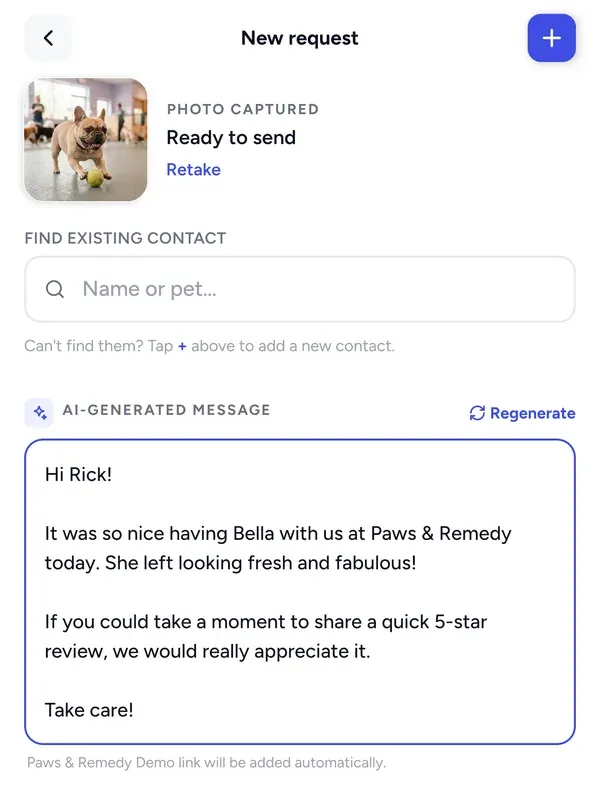
ReviewCrusher works without any integration. Send a request from a phone or tablet in seconds with the Snap2Review app, or upload a daily CSV of the day's customers.
Many businesses do both: automatic requests for every appointment, and a hand-sent photo request when a pet looks especially great.
What happens after the request
The customer taps a star. Happy customers get editable review ideas and a path to Google. Customers with a concern can tell you privately, and every customer can still leave a public review. Customers who don't respond get automated follow-ups.
See the whole journey on How It WorksQuestions about automated review requests
Will it work with my current software?
ReviewCrusher connects with several pet-service and payment platforms, and it can also run on its own. If your software isn't listed, you can run it standalone, upload a CSV, or ask us about a custom integration.
Do I need to change my software?
No. ReviewCrusher works alongside the tools you already use, and our team handles the integration. If your software isn't listed, you can run it standalone, upload a CSV, or ask us about a custom integration.
How long does setup take?
Setup starts with a short onboarding form and a call with a Customer Success Manager. Our team handles the technical setup for you.
Will my staff find it hard to use?
Requests send automatically, so your team doesn't have to learn a new system to keep reviews coming. When you want to send one by hand, Snap2Review takes a few seconds.
Can customers still leave a public review?
Yes. Every customer can leave a public review. Customers with a concern are also invited to share private feedback with you, and they always keep access to public review options.
Set it up once. Requests keep going.
Try ReviewCrusher free for 14 days, or tap through the live demo first.
14-day free trial, card required. Cancel anytime during the trial. 30-day money-back guarantee, counted from the day your trial activates.